Fintech Product Design

Global Payments Processing Platform

Financial institutions process millions of transactions every day across global payment networks. Operations teams require tools that provide real-time visibility, reliable processing, and rapid issue resolution.

ABOUT PROJECT

This project focuses on designing the user experience for a cloud-native payments processing platform. The platform supports high-volume payment processing across domestic and international networks while enabling operations teams to monitor transactions, investigate failures, and manage settlements. The design challenge was to create an interface that supports complex financial workflows while remaining efficient and easy to use.

What This Project Demonstrates
  • Enterprise UX Design
  • Fintech Product Design
  • Complex Workflow Optimization
  • Large Data Interface Design
  • Operational Dashboard UX
  • Payment Systems Knowledge
Project Duration

10 weeks

Responsibilities
  • User research
  • Payment workflow analysis
  • Information architecture
  • Wireframes and prototypes
  • Interaction design
  • Usability testing and validation
Design with absolute clarity and trust—every interaction must help users make fast, accurate decisions with high-stakes financial data.

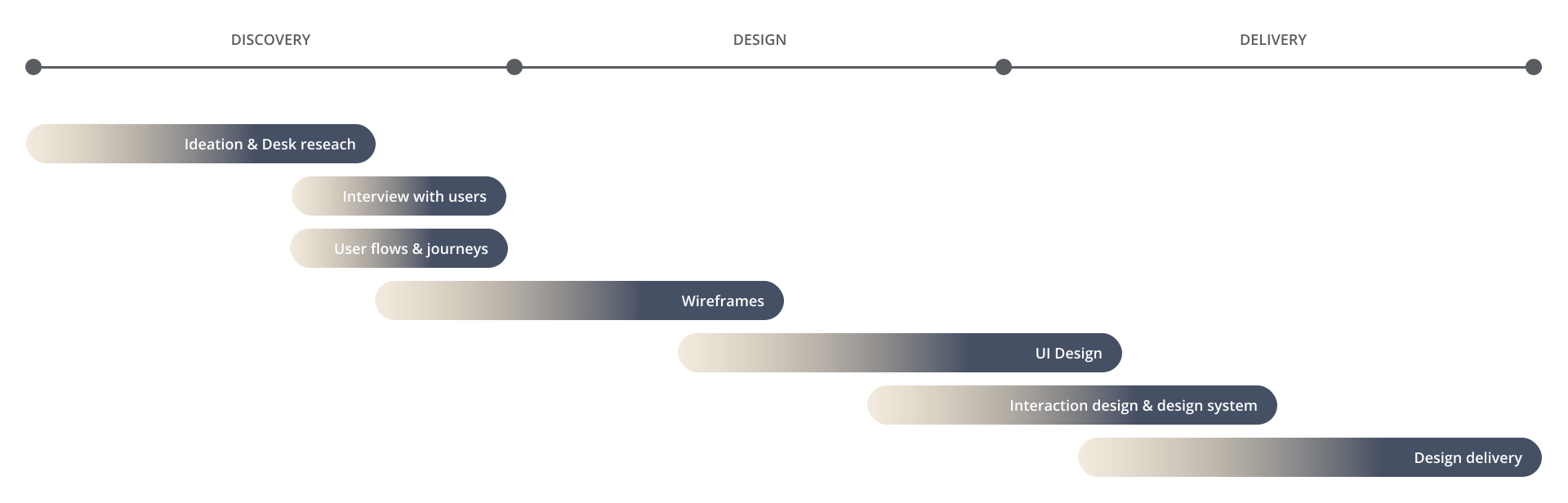
Project Timeline

Understanding the Domain

Payment clearing systems connect multiple financial institutions and networks. A typical payment lifecycle includes:


Operations teams must track transactions throughout this lifecycle and quickly resolve failures.

Key UX Challenge

Payment operations teams deal with:


During this stage, we went through a dozen ideas, accepting and rejecting them based on asking the following product thinking questions. The interface must allow users to identify issues within seconds.

Extremely large datasets

Multiple payment networks

Critical financial risk

Time-sensitive investigations

Research

User interviews were conducted with payment operations specialists and treasury teams who all are our primary users.


Payment Operations Analysts

Monitor payment activity and resolve transaction issues.

Treasury Teams

Manage liquidity and settlement operations.

Compliance Teams

Monitor audit trails and regulatory reporting.

UX Goals

The redesigned interface aimed to:


  • Provide real-time payment visibility
  • Reduce investigation time
  • Prioritize critical alerts
  • Simplify complex transaction workflows

Information Architecture

To support operational workflows, the platform was organized into six primary sections.


  • Dashboard
  • Payment Monitoring
  • Transaction Search
  • Exception Management
  • Settlement Overview
  • Reports & Compliance

This structure aligned with the daily workflow of payment operations teams.

Key Feature Design


1. Payment Monitoring Dasboard

The dashboard provides an overview of system activity.

Key Metrics
  • Total payments processed
  • Pending transactions
  • Failed payments
  • Settlement progress
UX Design Decisions
  • KPI cards for quick operational insight
  • Real-time transaction charts
  • Alert notifications for system issues
  • Clear payment status indicators

The goal was to enable users to understand system health within seconds.


2. Transaction Investigation Interface

When payments fail, analysts must quickly identify the root cause.

The investigation interface provides:

  • Payment processing timeline
  • Transaction metadata
  • Error messages
  • Clearing network status
UX Improvements

A single consolidated view eliminated the need to switch between multiple systems.


3. Exception Management

Payment failures are managed through an exception handling workflow.

Users can:

  • View failed transactions
  • Categorize errors
  • Assign investigation tasks
  • Track resolution progress
UX Improvements

A single consolidated view eliminated the need to switch between multiple systems.

  • Priority-based error sorting
  • Visual indicators for severity
  • Bulk investigation actions

4. Advanced Transaction Search

Operations teams frequently search for transactions.

Search filters include:

  • Transaction ID
  • Currency
  • Payment network
  • Date range
  • Processing status
UX Improvements
  • Fast filtering system
  • Saved searches
  • Exportable transaction reports

5. Settlement & Reconciliation

Treasury teams use this module to verify settlements.

Features include:

  • Automated transaction matching
  • Settlement discrepancy alerts
  • Liquidity insights

The goal was to reduce manual reconciliation work.

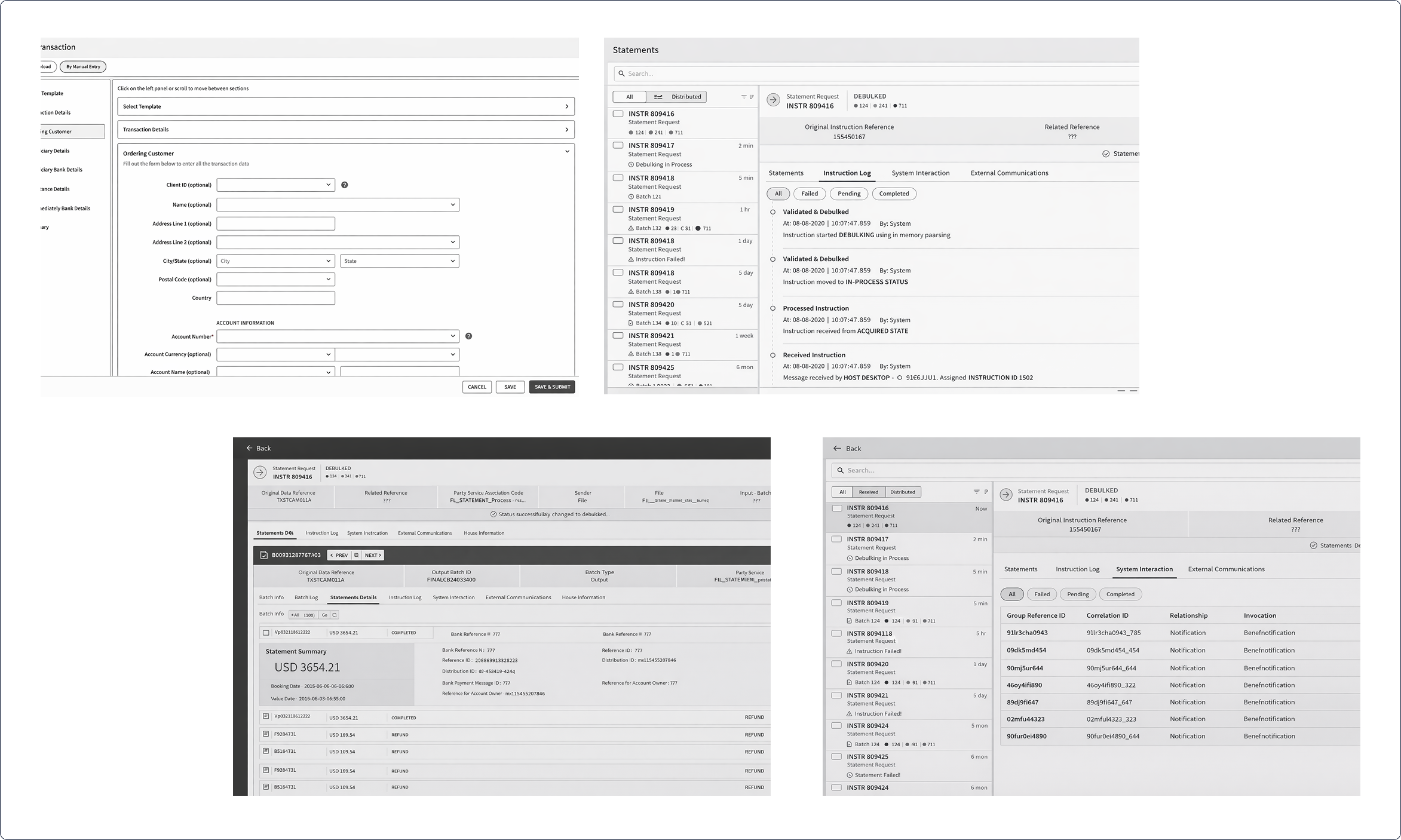
Wireframes

Low-fidelity wireframes were created to validate workflows. These wireframes were tested with users to ensure efficient task flows.

Key Findings

Users missed critical alerts

Solution: Introduced priority alert panels and color-coded indicators.

Search filters were confusing

Solution: Simplified filter structure and introduced quick search presets.

Large tables were difficult to interpret

Solution: Added summary metrics and visual trend charts.

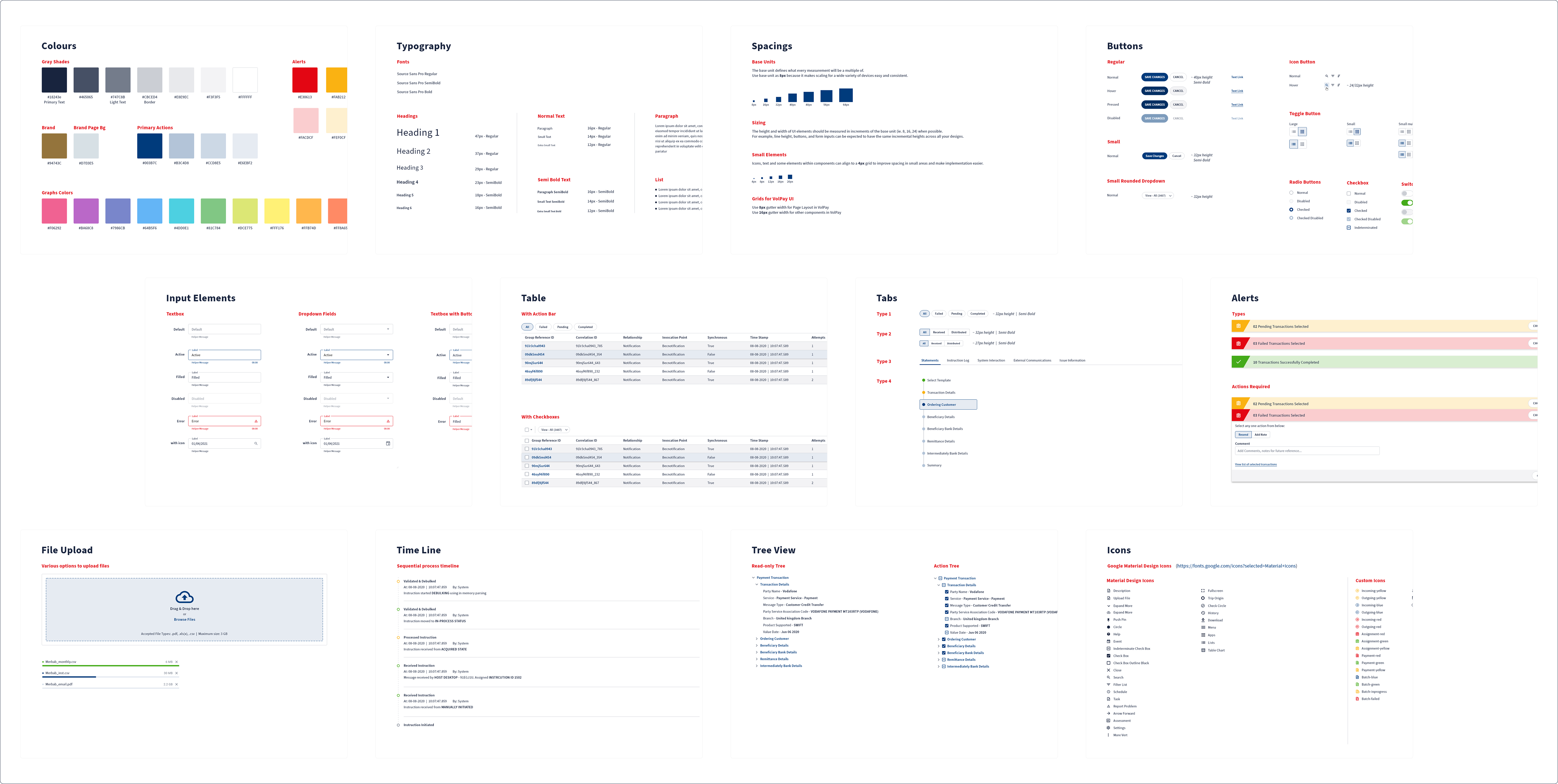
Style Guide & Design System

I crafted cohesive design style guides, curated mood boards to define visual direction, and built scalable design systems to ensure consistency and usability across products.

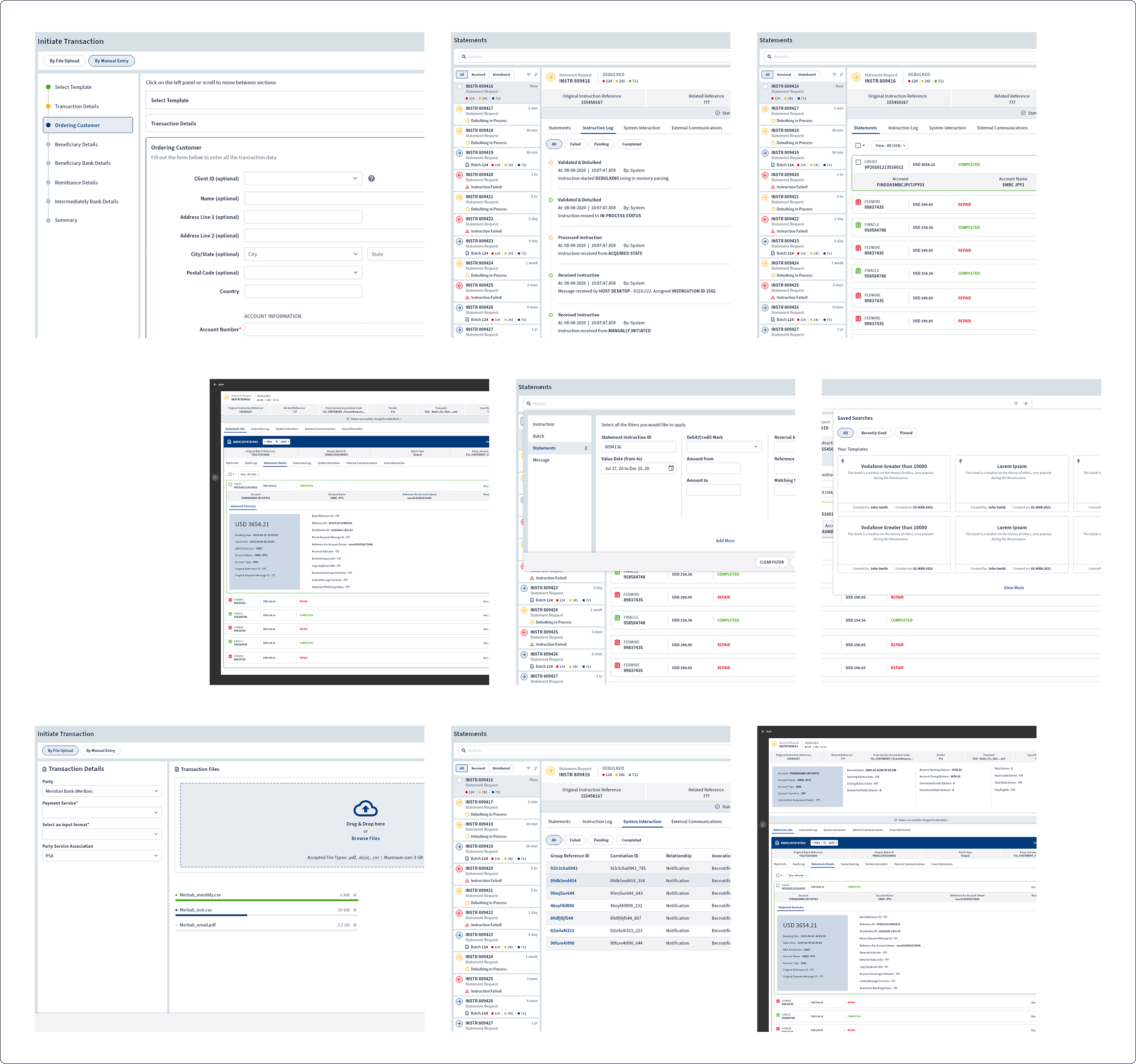
High-Fidelity Designs 

Created high-fidelity designs and polished UI interfaces, translating concepts into visually refined, user-centered experiences.

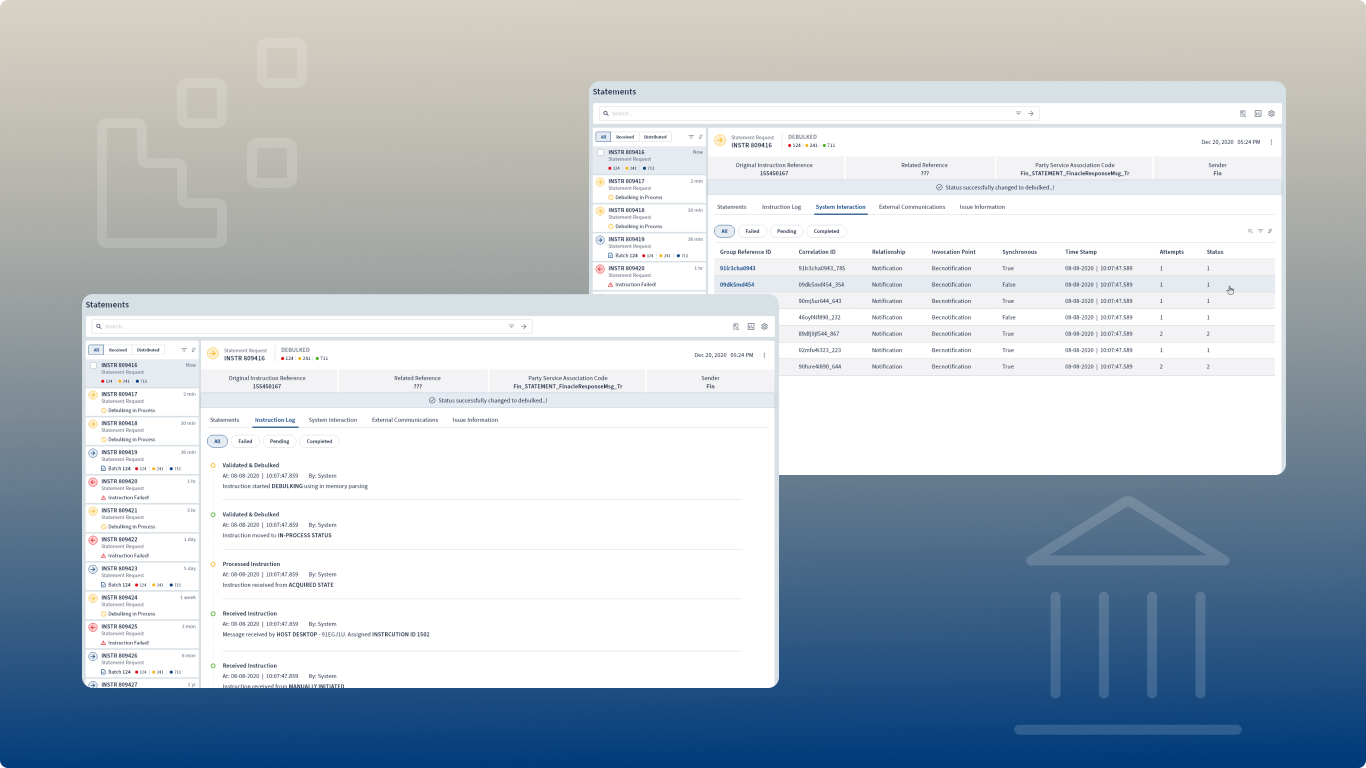
Final Outcome

The redesigned interface significantly improved operational workflows.


Results
  • Faster payment investigations
  • Improved operational visibility
  • Reduced error resolution time
  • Streamlined settlement monitoring

The platform now supports high-volume payment environments used by global financial institutions.